Transparent & Glass Folder Icons for Mac & Windows (Aesthetic 2026)
The best transparent, glass and crystal folder icons for Mac and Windows in 2026 — clear, frosted, holographic and gemstone sets, hand-picked. With a 60-second install guide and FAQ.
Glass is the trend that makes a desktop feel modern without trying. Where solid colours fill the screen, a transparent or frosted folder lets your wallpaper glow through — so the desktop reads light, airy and a little futuristic. Swap the flat blue Mac folder (or the manila Windows one) for a glass set and the whole screen suddenly feels like a premium UI mockup.
This is our hand-picked roundup of the best transparent and glass folder icons for 2026 — from barely-there clear to icy frosted and rainbow holographic. Every set is a complete, matching pack with .icns files for Mac and .ico/.png for Windows, so the look stays consistent across your whole desktop.
What makes a glass folder icon set actually work
"Transparent" is easy to get wrong — a flat low-opacity shape just looks washed out. The sets that genuinely read as glass share three things:
- Real refraction. Convincing glass bends light, with highlights, edges and a hint of what's behind it — not a single see-through fill.
- It works on any wallpaper. A good glass set keeps a subtle frosted base so the folder stays legible whether your background is dark or busy.
- Consistency. Every folder shares the same finish and edge, so the desktop looks like one cohesive glass collection.
Best clear & frosted glass sets
For the clean, minimal, light-as-air look:
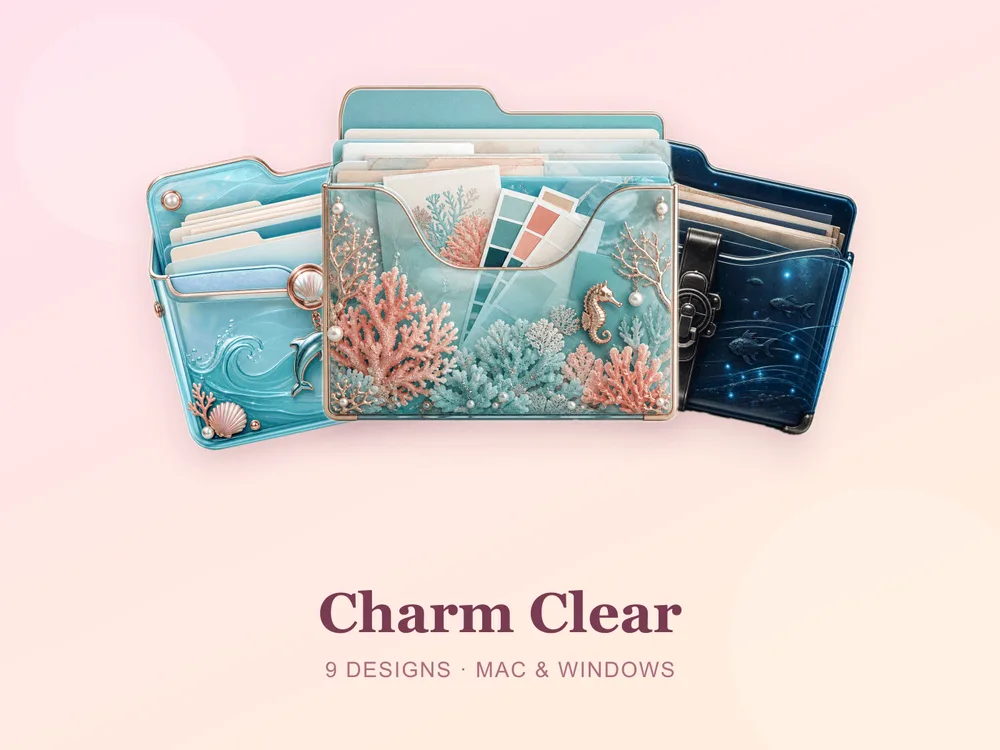
- Charm Clear — barely-there clear folders with a delicate frosted edge; minimal and endlessly flexible.
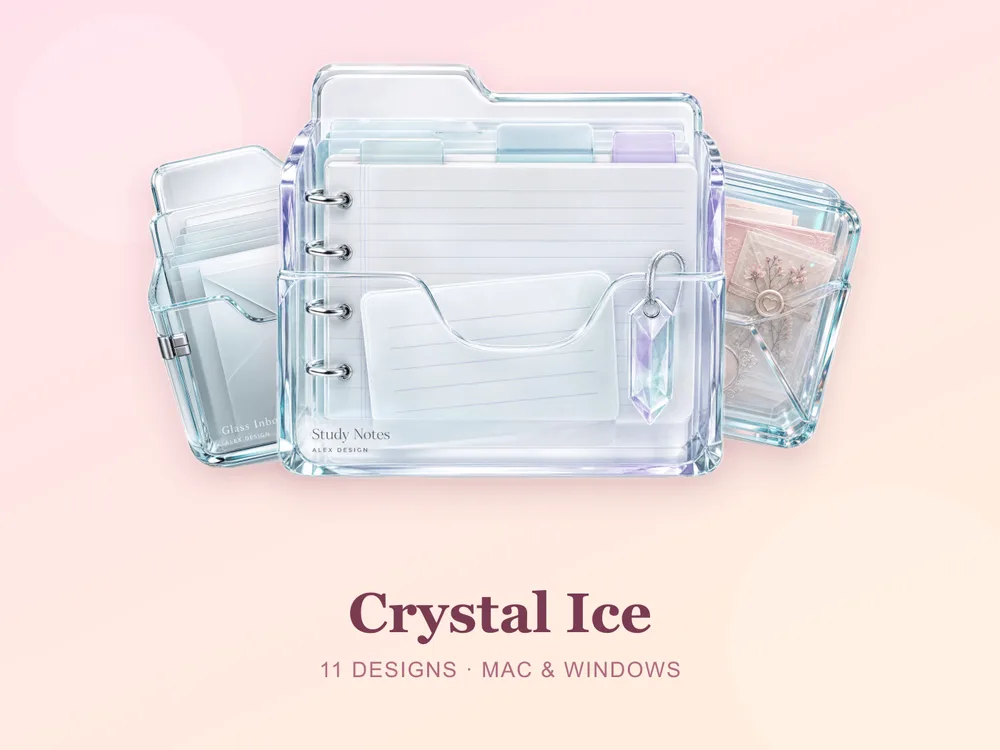
- Crystal Ice — cool, icy translucence with crisp highlights, like frosted glass.
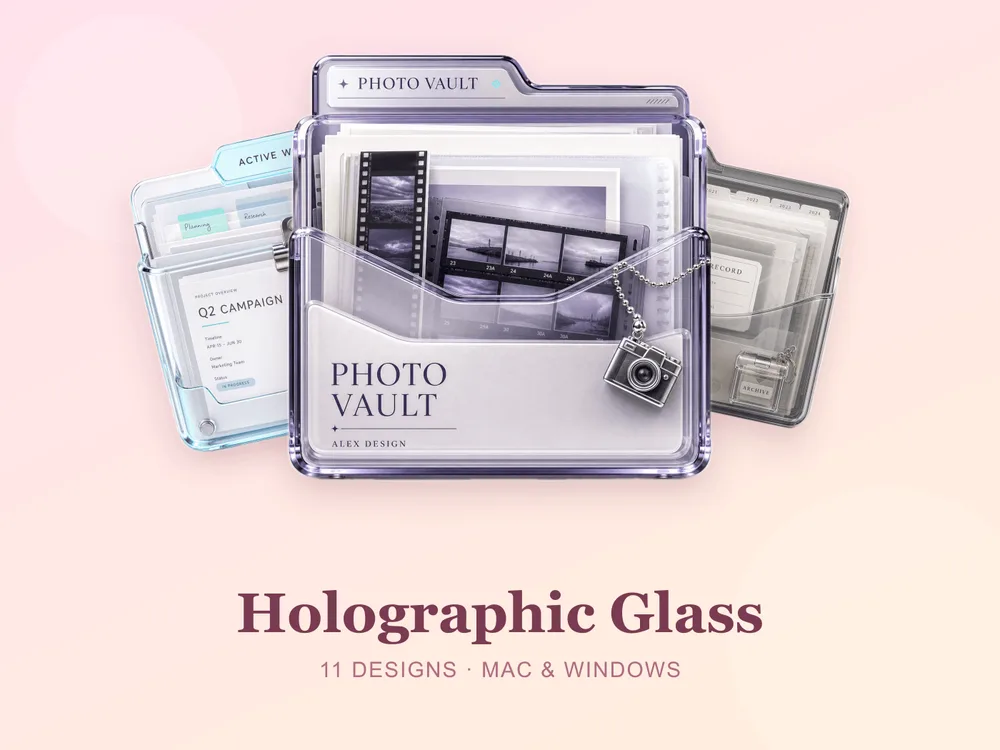
Best crystal & holographic sets
For a richer, more eye-catching take on transparency:
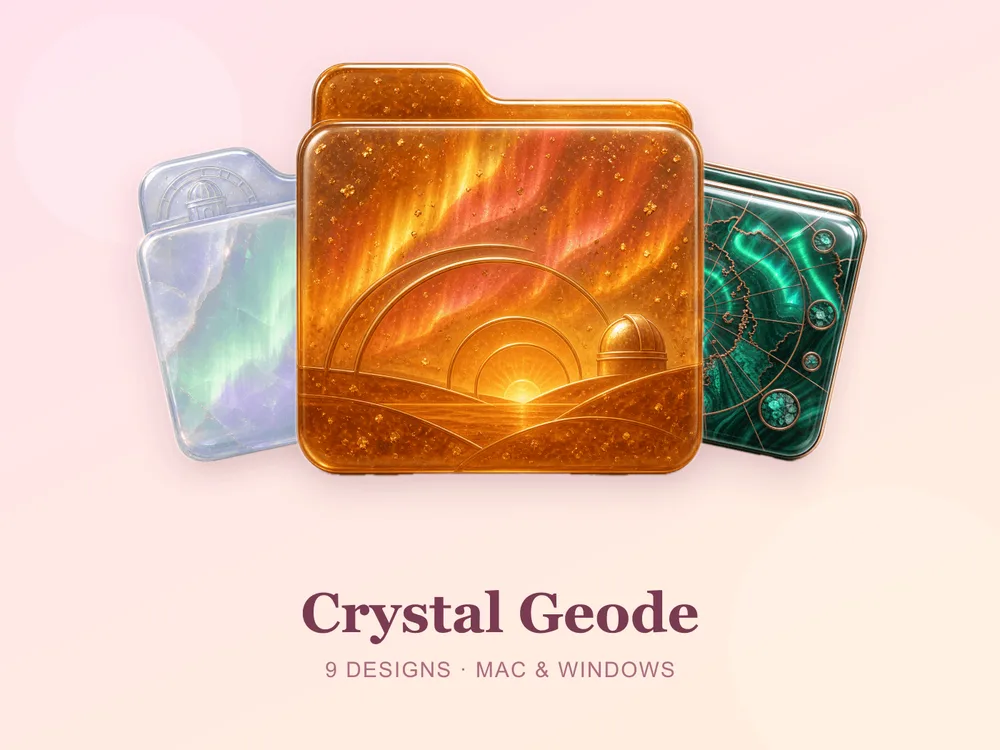
- Crystal Geode — gemstone crystals with depth and sparkle; transparent but full of colour.
- Holographic Glass — iridescent rainbow shimmer that shifts across the surface; the most striking glass look here.
Why a matching glass set beats single icons
Most "free transparent folder icon" downloads disappoint because they're single PNGs from different designers — put a dozen on one desktop and the opacity and edges clash, and the airy effect collapses. Starting from one coherent set means every folder shares the same refraction and frosted base, so the whole screen reads as a designed glass system from the first folder you change.
How to install them (60 seconds)
Once you've downloaded a set, applying it takes seconds:
- On Mac: Select a folder → press Cmd + I → drag the
.icnsfile onto the small icon in the top-left of the Get Info window. Full walkthrough: How to Change Folder Icons on Mac. - On Windows: Right-click the folder → Properties → Customize → Change Icon → pick the
.icofile. Full walkthrough: How to Change Folder Icons on Windows.
Want the new icons to turn into a genuinely tidy desktop? Follow our desktop organization guide.
Transparent folder icons: quick FAQ
Are transparent folder icons free? A few full sets on FolderIcons are free for every member (Kawaii Beauty, Coral Blush, Wild Print). The glass, crystal and holographic sets above are premium — unlock them once with credits and own them forever, with no subscription and no expiry.
Do glass icons look good on a dark wallpaper? Yes. Each set keeps a subtle frosted base and bright edges, so the folder stays legible and pretty whether your background is dark, light or busy.
Do they work on both Mac and Windows?
Yes. Every FolderIcons set ships .icns files for macOS and .ico/.png files for Windows, so the same glass look applies on either system in about 60 seconds.
Will they stay sharp on Retina or 4K? Yes. The sets are rendered at high resolution (up to 1024px), so highlights and edges stay crisp on Retina and 4K displays.
Can I undo it later? Always. On Mac, open Get Info and press Cmd + X on the icon to revert; on Windows, use Change Icon → Restore Defaults. Your files are never touched — only the folder's picture changes.
The shortcut to a glass-clean desktop
The fastest way to a modern, airy desktop is to commit to one glass finish and apply it across your most-used folders. Pick clear-frosted or holographic, stick to it, and the whole screen instantly reads as light, intentional and current.
Browse the full FolderIcons gallery — original, hand-crafted sets across every style above. Three skins are free for every member; unlock the glass sets you love with credits and own them forever. No subscription, no expiry.
For more inspiration, see our best aesthetic folder icons roundup and marble folder icons.
Your folders, clear as glass.